JetBrains Marketplace plugin

AI commit message
generator for
JetBrains IDEs

Generate AI commit messages in one click for IntelliJ IDEA, WebStorm, and other JetBrains IDEs. Works with OpenAI, Azure OpenAI, Gemini, Claude, and Ollama with privacy-first provider controls.

20,626+ Marketplace installs
58% renewal rate
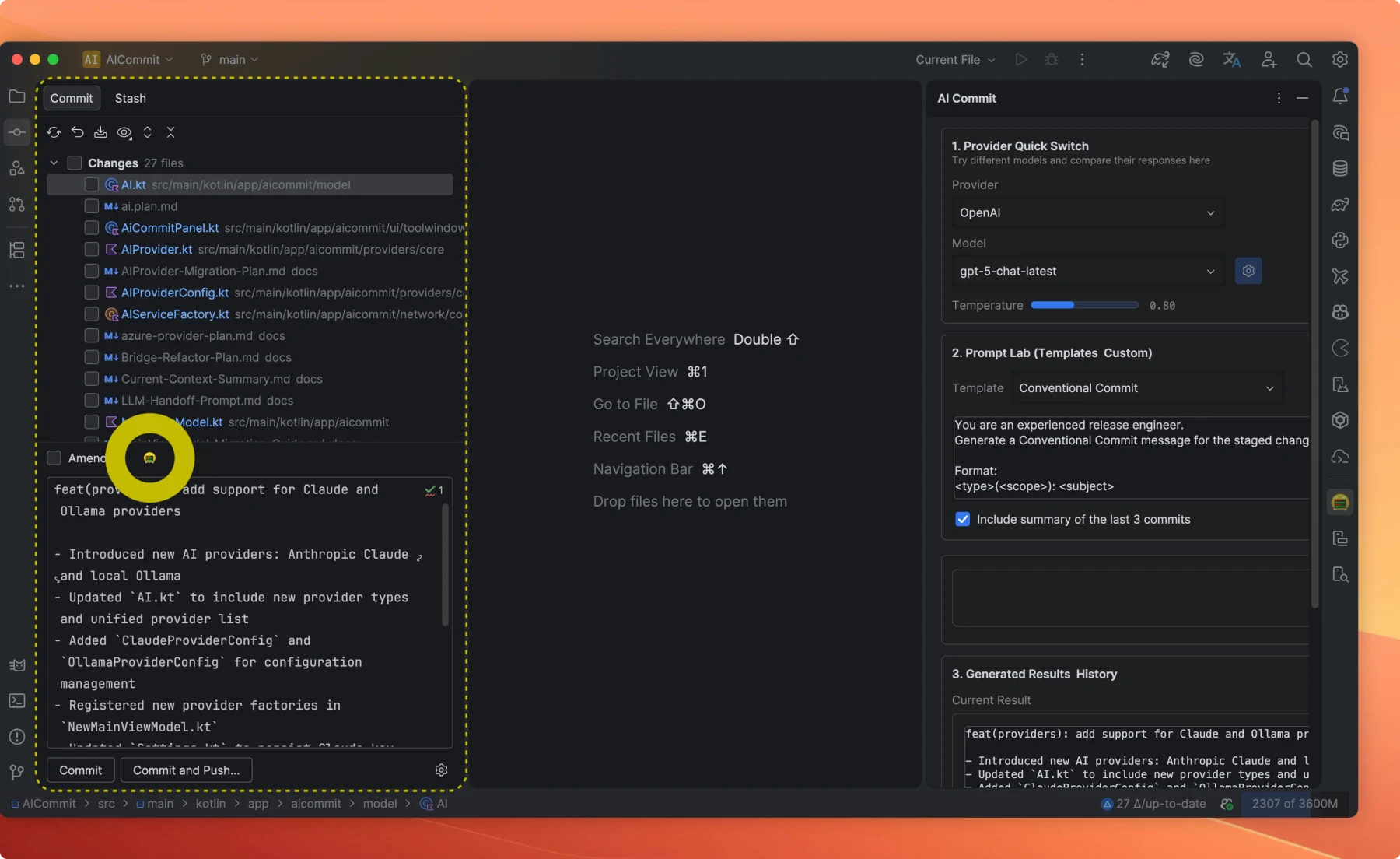
AICommit one-click generation button in JetBrains IDE VCS panel
AICommit
generating
$git commit -m

Built into your JetBrains workflow

Generate precise commit messages without leaving your editor. Works wherever you commit — VCS panel, terminal, or Git integration.

AICommit action button in JetBrains IDE commit panel
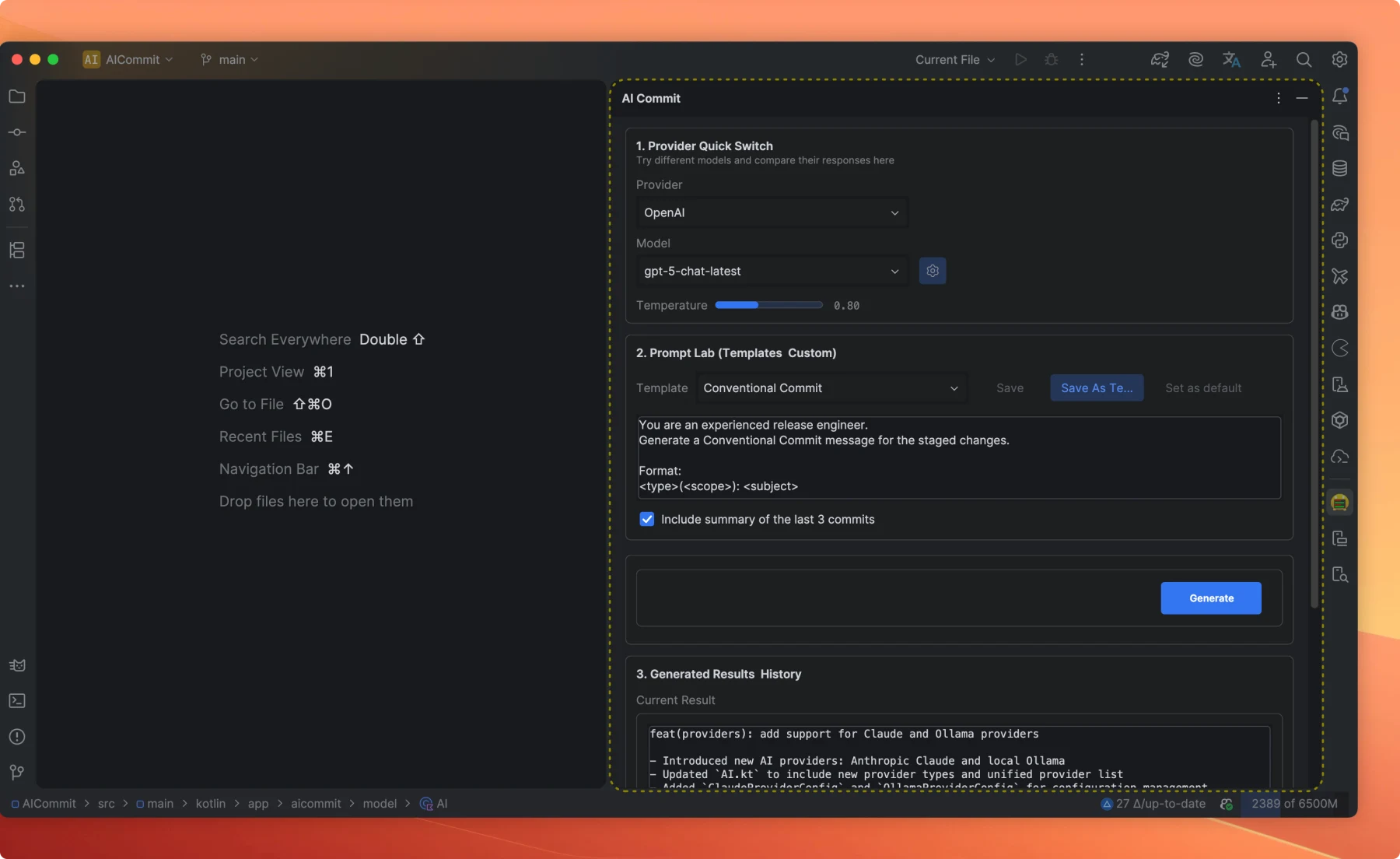
AICommit panel showing provider switch, prompt templates, and history
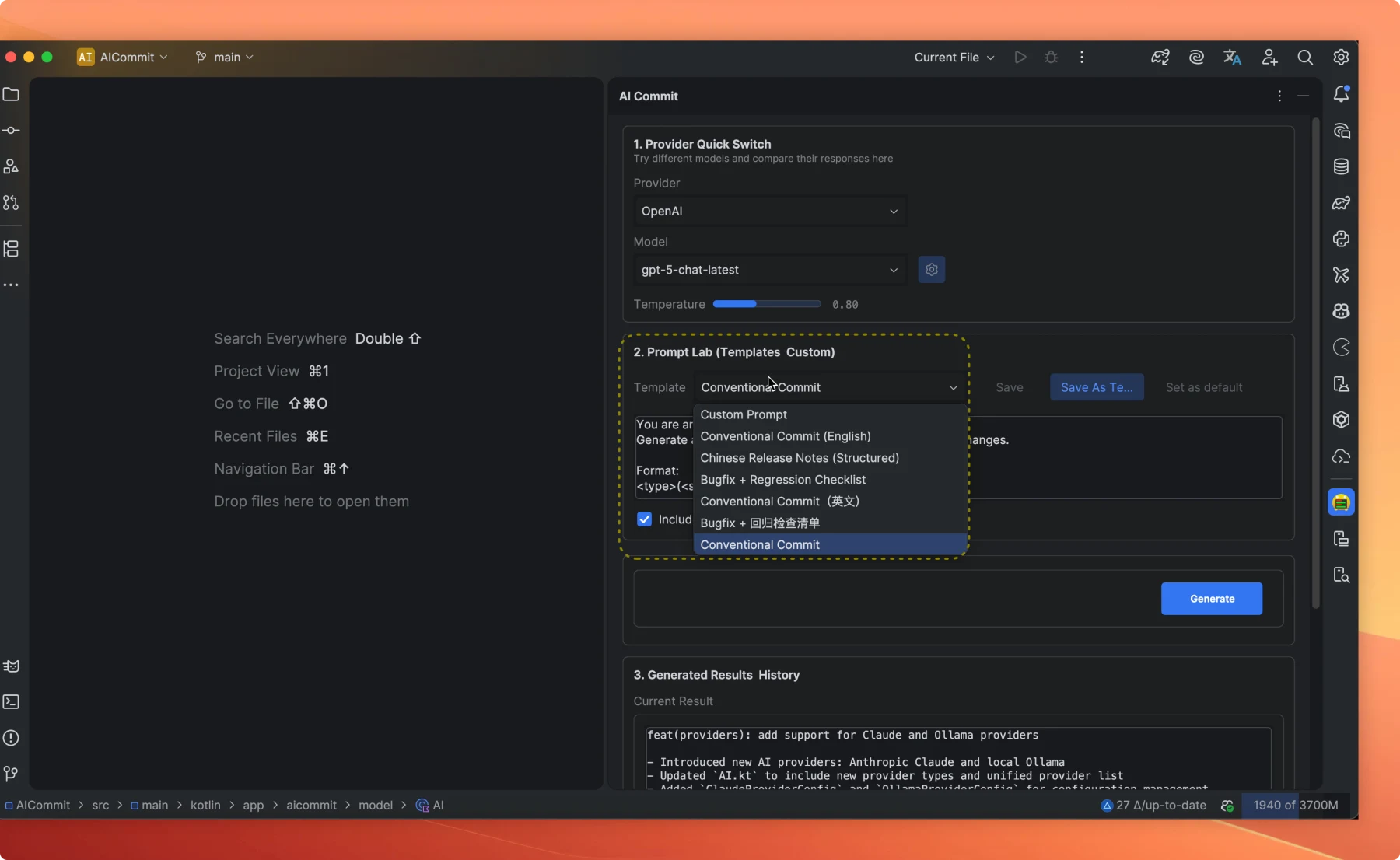
AICommit template dropdown with multiple preset options

Generate commit messages instantly from the VCS commit panel with a single click

Features

Smart Generation

One click. Done.

Advanced AI analysis reads your staged diff and produces professional, meaningful commit messages in under two seconds. No more staring at a blank field.

OpenAI
Azure
Google GeminiGemini
OllamaOllama

+ custom API endpoints

Your model, your rules.

Works with OpenAI, Azure OpenAI, Google Gemini, and Ollama — including local models. Switch providers without touching a config file.

Privacy First

Code stays on your machine.

All diffs are processed locally before any API call. No code is stored, logged, or shared. Built for teams who can't compromise on data security.

Customer feedback

Feedback from AICommit users

20,626+ JetBrains Marketplace installs and a steady stream of user reviews, bug reports, and onboarding feedback from the IDE workflow itself.

58%
Renewal rate
21k+
Marketplace installs

The plugin experience is incredibly smooth. With just one click, the commit is done — remarkably efficient and precise.

D
dag***830 · Software Engineer

Excellent plugin! With the recent GPT-4 integration, the overall experience has reached a new level. Highly recommended.

D
dd***ch · Software Engineer

Very powerful and easy to use. Saves me from thinking about commit messages every single day.

J
Jim Kim · Software Engineer

Found that students and teachers can use it for free — huge win for the learning community. Thank you!

K
ki***us · Student

Watch AICommit in action

A quick walkthrough from staged files to a generated commit message inside a JetBrains IDE.

Compatibility & onboarding

What developers ask before installing

The essentials for JetBrains compatibility, model support, privacy, local-only workflows, onboarding, and current Marketplace licensing.

Which JetBrains IDEs does AICommit work with?

AICommit is built for JetBrains IDEs and fits directly into the Commit tool window in IntelliJ-platform IDEs, including IntelliJ IDEA and WebStorm.

Which AI providers are supported?

AICommit supports OpenAI, Azure OpenAI, Google Gemini, Anthropic Claude, and Ollama for local models.

Does AICommit collect my code or commit messages?

AICommit does not collect your code or commit messages. For cloud generation, content is sent only to the provider you configure.

Can I keep everything local?

Yes. Use Ollama with local models if you want a local-first workflow without sending staged diffs to a cloud provider.

How do I get started?

Install the plugin from JetBrains Marketplace, configure a provider and model, verify credentials, choose a prompt template, and generate a commit message in one click.

How does licensing work?

AICommit is distributed through JetBrains Marketplace. Check the Marketplace listing and your IDE account for the current license or subscription status.

Free to start

Stop writing commit
messages manually.

20,626+ installs on JetBrains Marketplace. Connect a provider, stage your diff, and generate a commit message without leaving your IDE.